VertiView
2026 · personal · web
Chrome extension that turns any video into a portrait panel you can zoom and pan, so you can run 4-5 at once or hyperfocus on one.
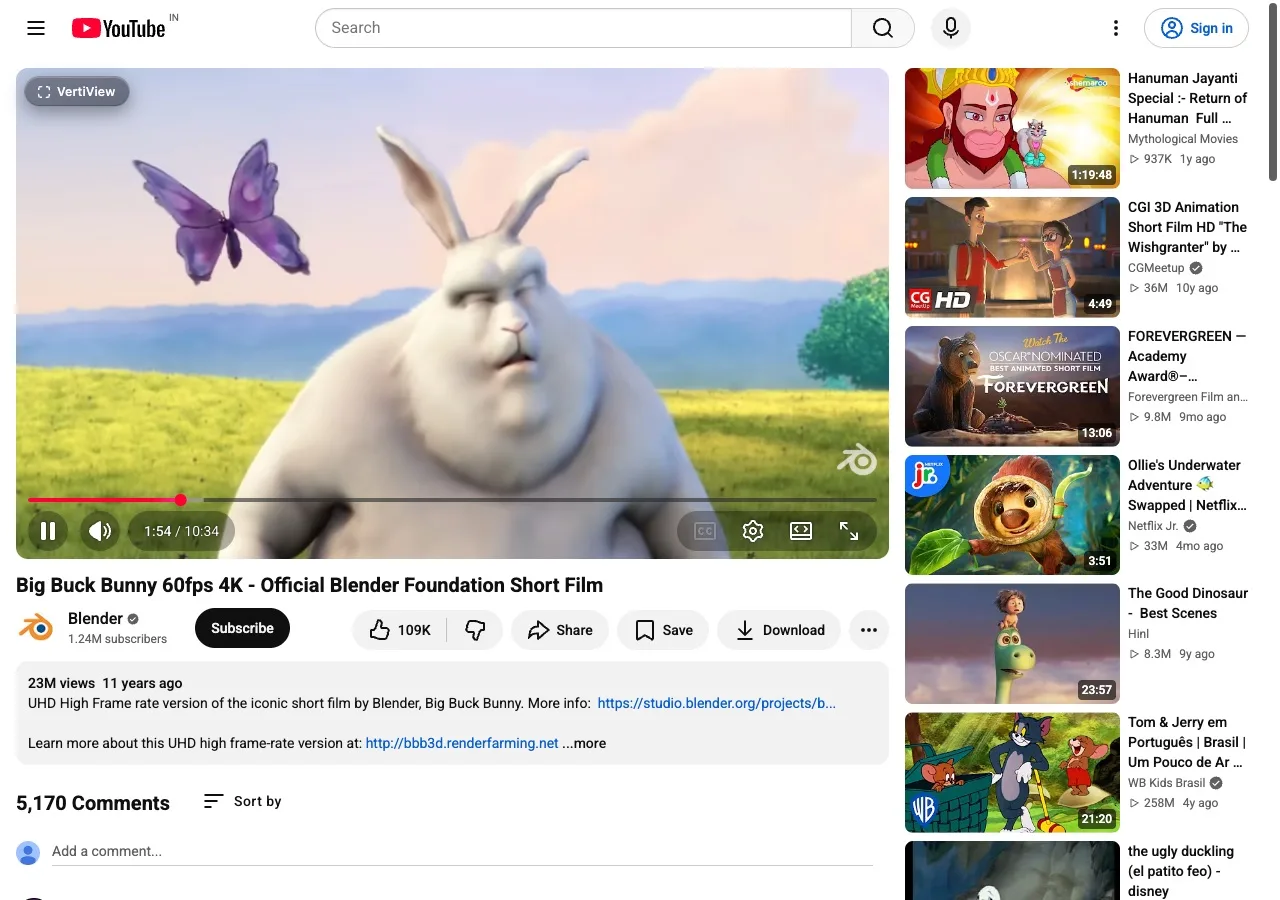
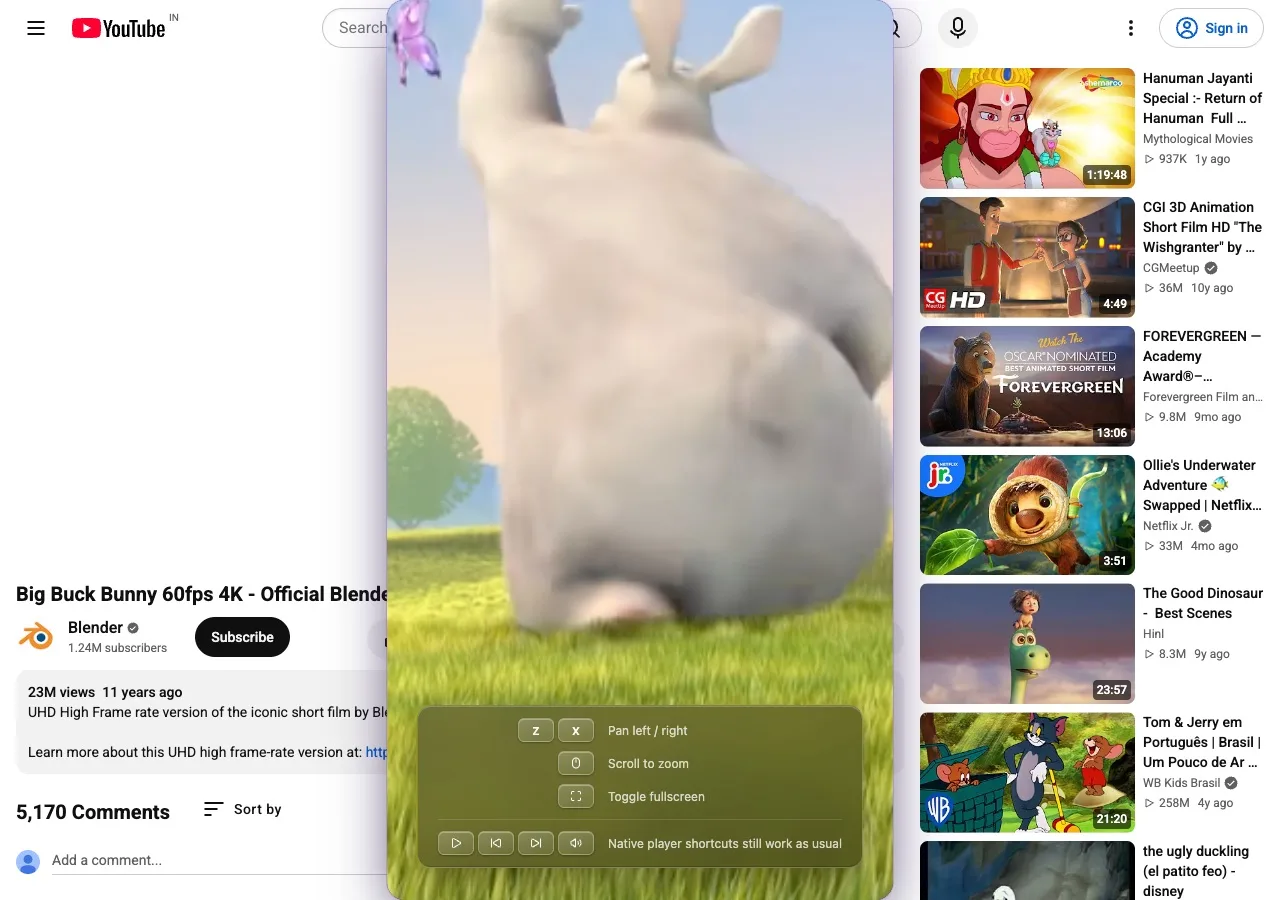
VertiView is a Chrome extension that turns any video on any page into a centered, portrait panel you can zoom into and pan around, with keyboard shortcuts for framing exactly the part of the video you care about. It is not a video editor, it is a real time layout tool. Free on the Chrome Web Store, with a marketing site I also built.
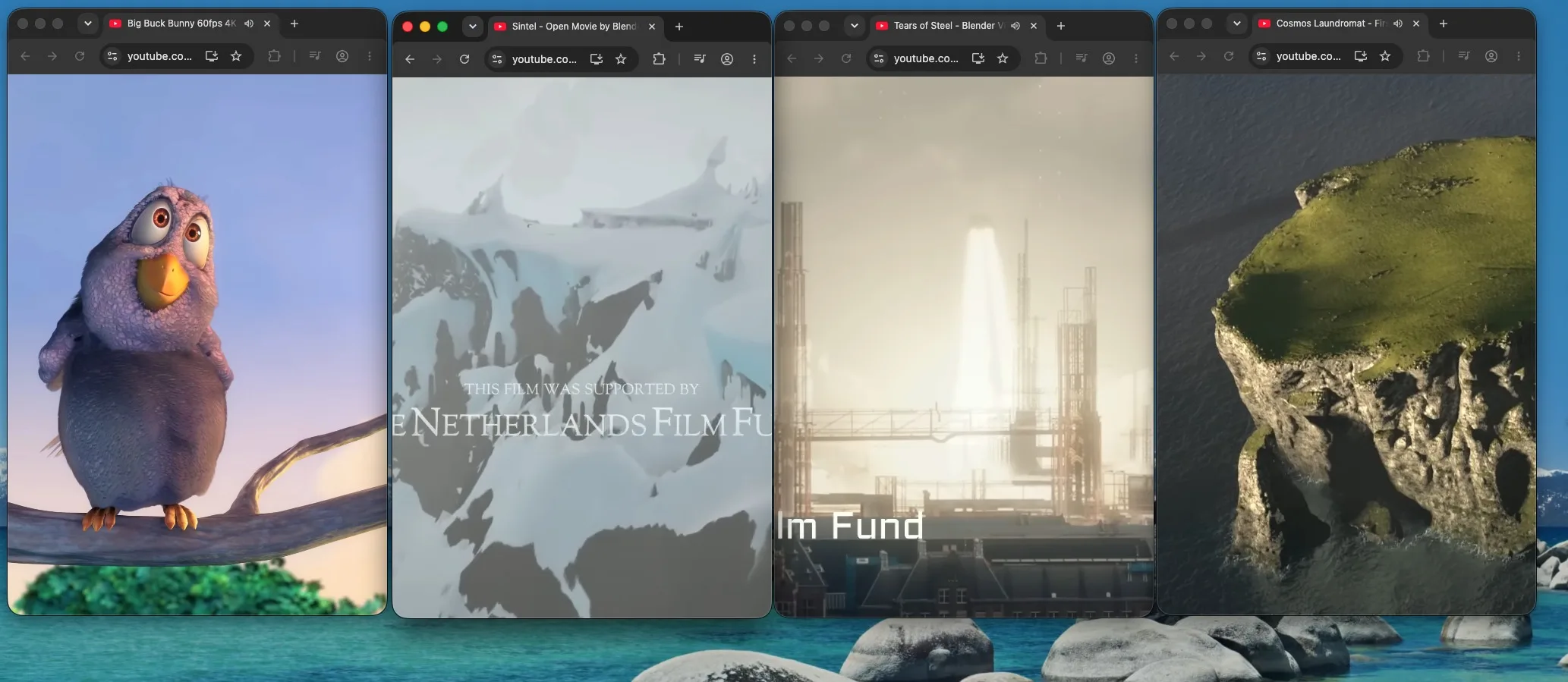
I built it for myself first. I can't focus on one thing for long, so VertiView lets me run four or five videos at once, or take a single one and hyperfocus on it by cutting out everything else on the page. It is a small tool built around how my attention actually works.
How it works
- Hover any video on a page, click the VertiView button that appears, and it opens as a tall 9:16 panel.
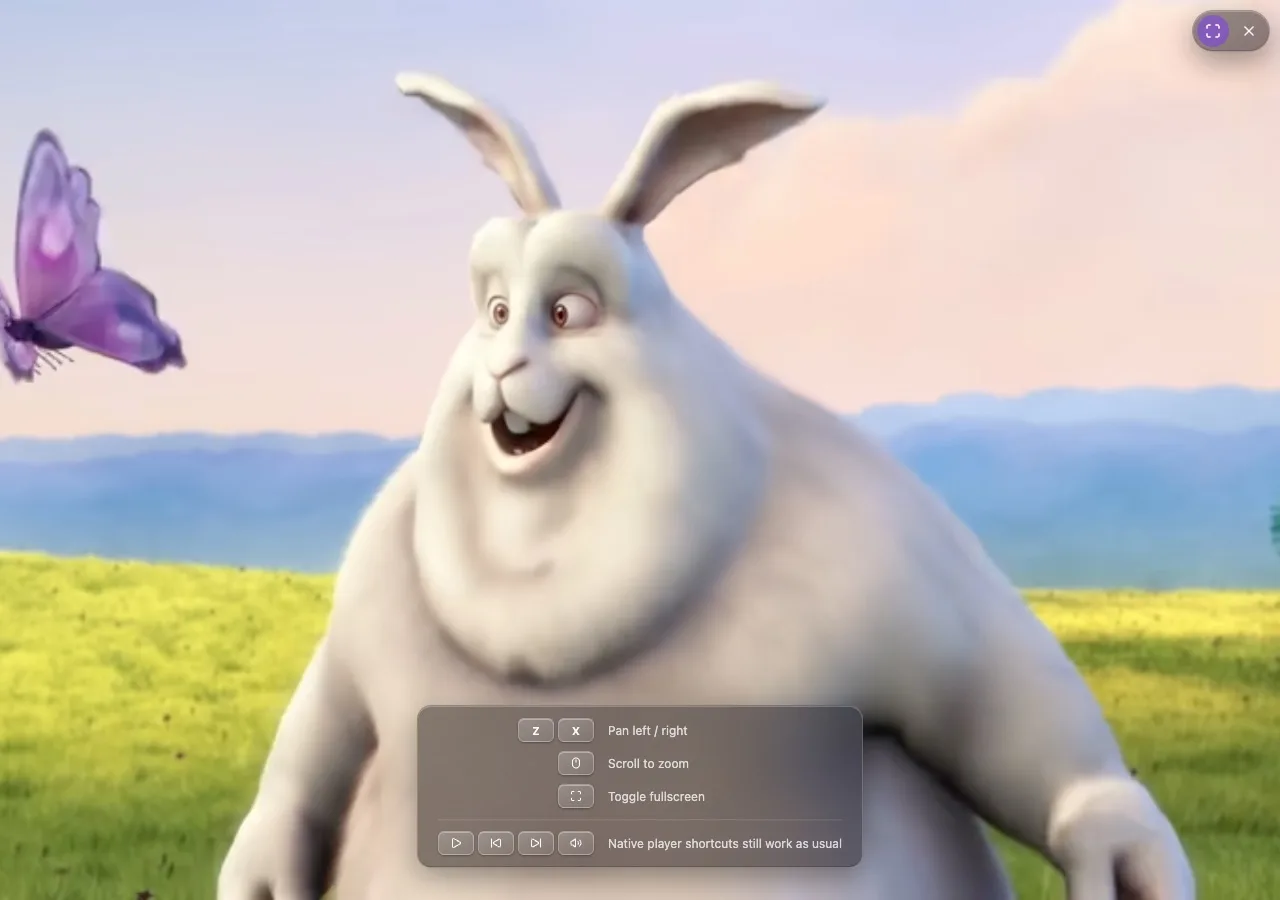
- Scroll over the video to zoom in, press Z and X to pan left and right, reframing the shot without leaving the page.
- A fullscreen toggle in the panel's controls bar switches between the portrait panel and a full viewport view.
- Open multiple panels side by side to watch several videos at once.
What I built
- The layout engine itself: the math behind zoom, pan bounds, and the portrait crop, covered by unit tests.
- The content script and hover activation UI injected into video heavy pages like YouTube.
- The marketing site at vertiview.netlify.app, a static Next.js export with an interactive hero demo and a live multi window demo.
- The Chrome Web Store listing: icons, screenshots, and copy.
Screenshots